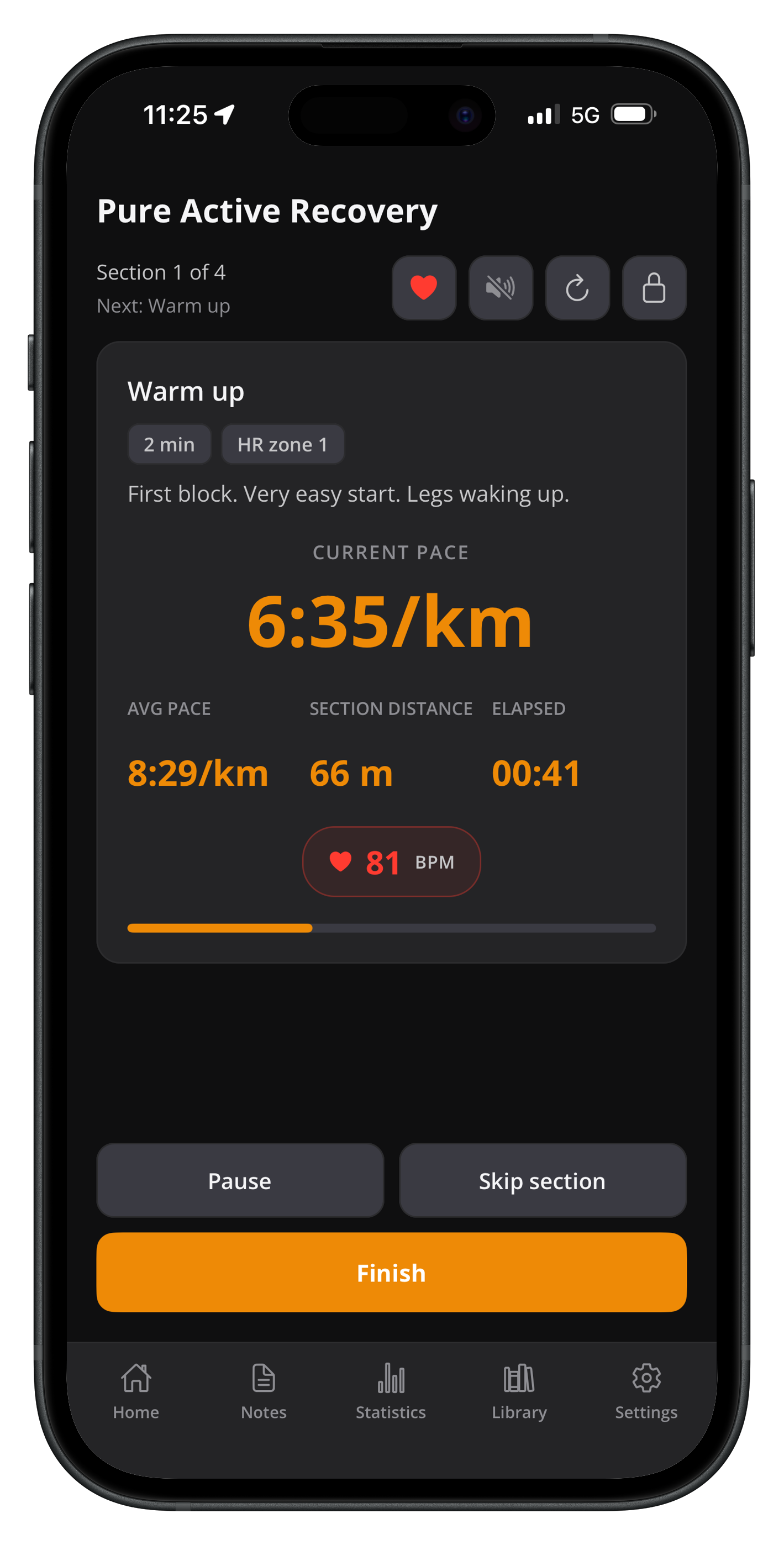
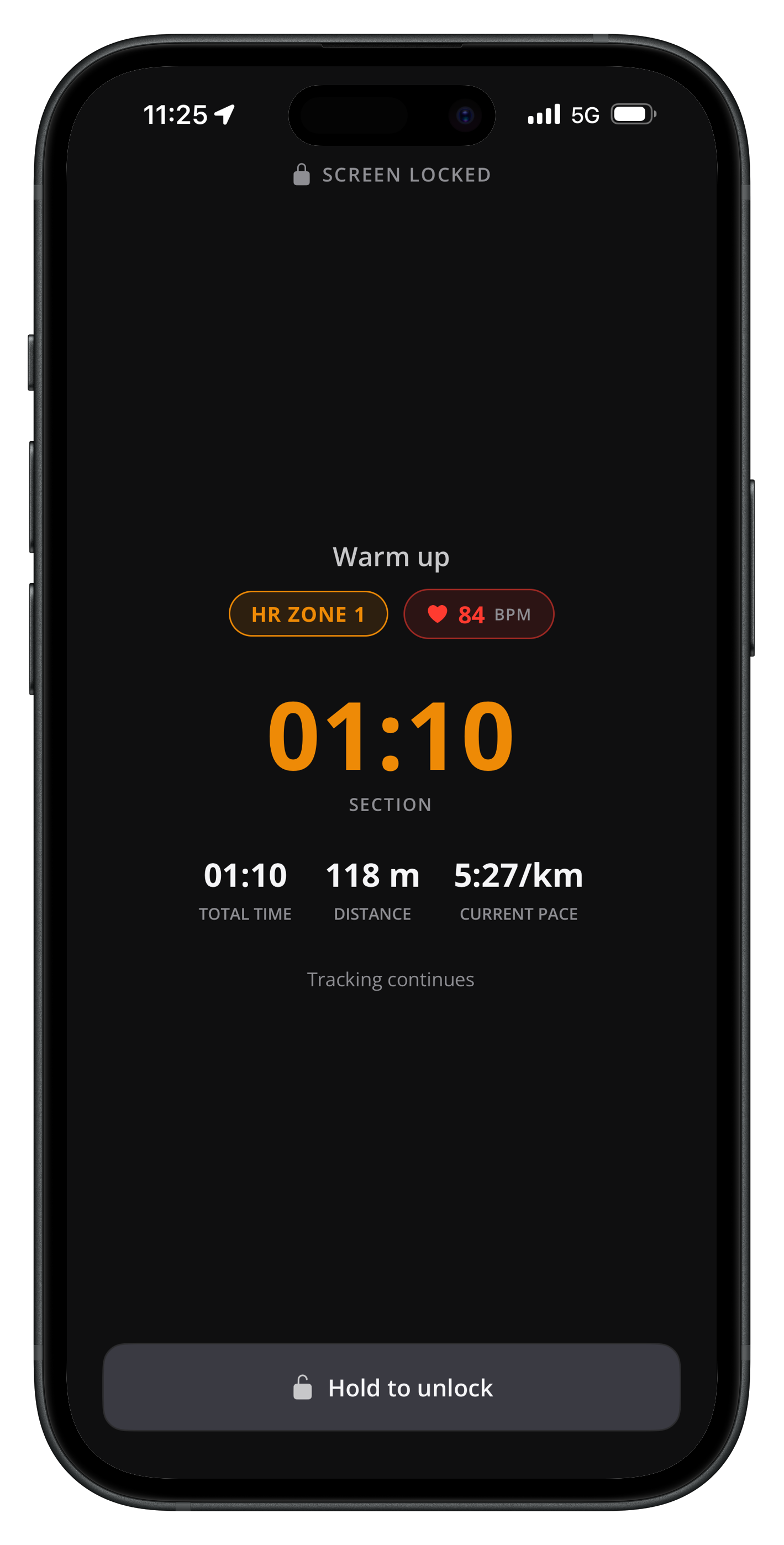
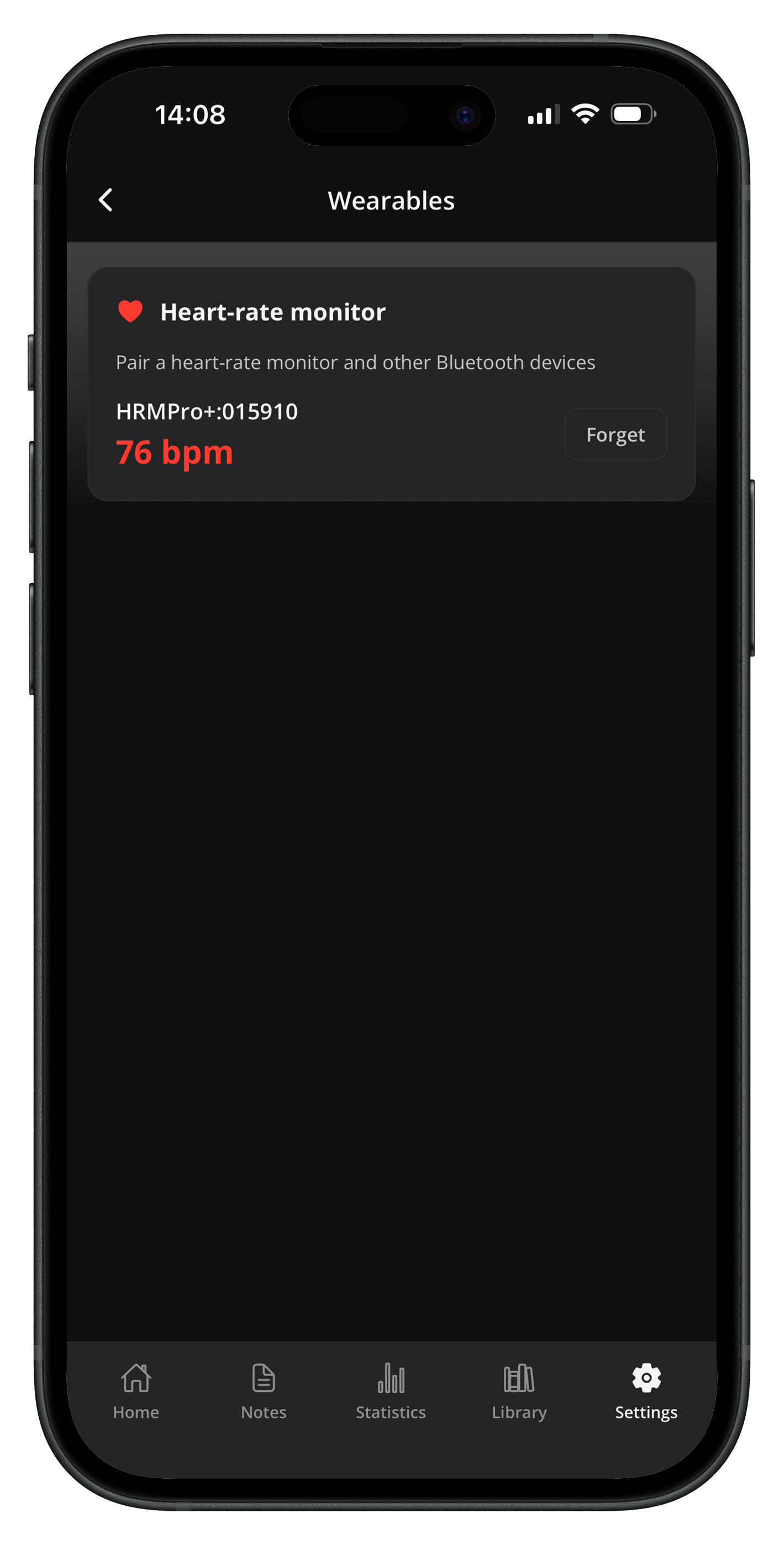
4 watches • 1 workout

Train on your watch.
Not your phone.

Build structured sessions in Endurly and bring them to your wrist — Suunto, Wahoo, Apple Watch, or Garmin via FIT export. One tap to send, then your watch guides every step.

Endurly sessions synced to Suunto as SuuntoPlus Guides on Android
Suunto
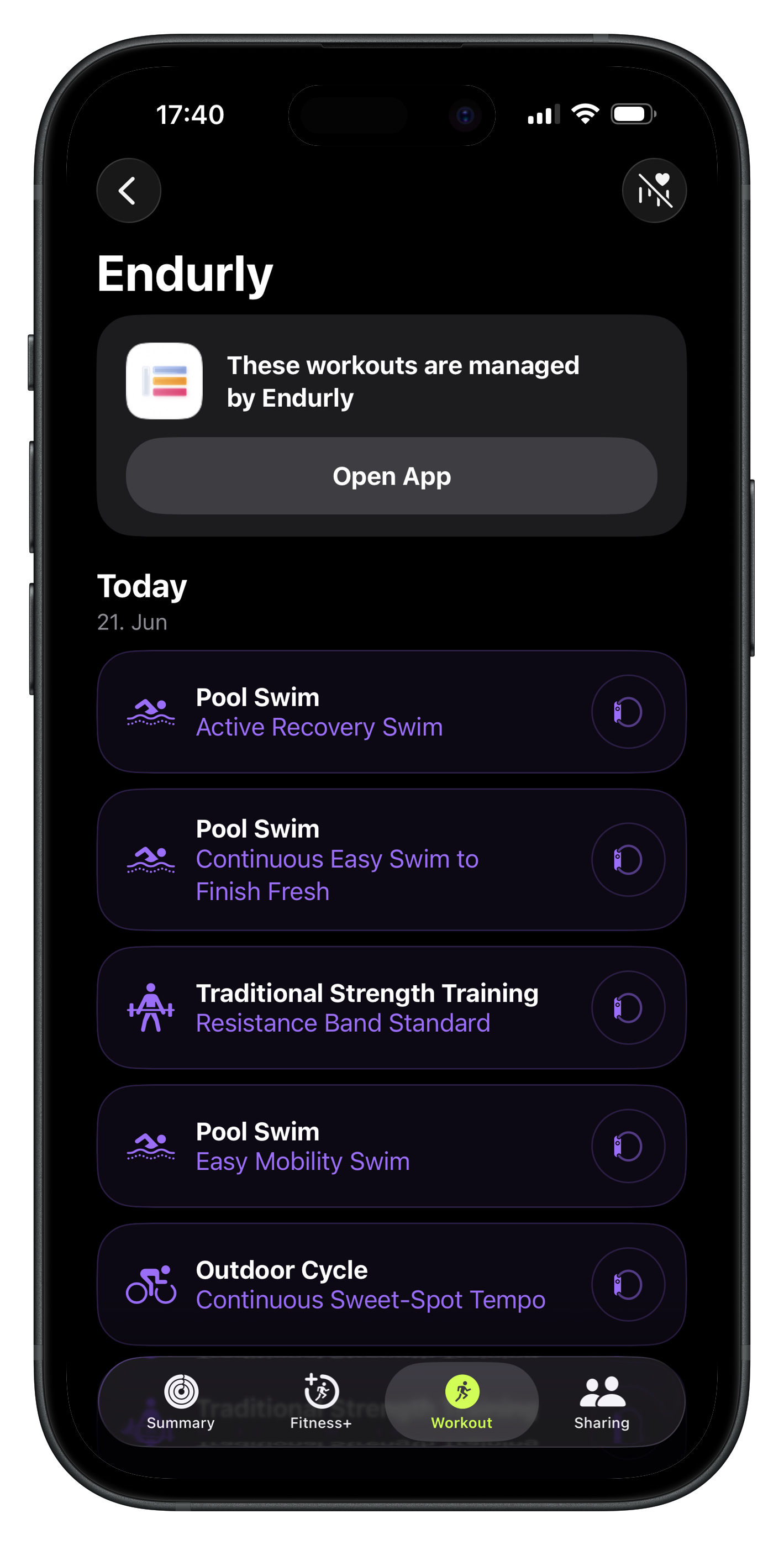
Endurly workouts scheduled to Apple Watch via WorkoutKit on iPhone
Apple Watch
4
Watch platforms
1-tap
Sync workflow
4
Sports supported
0 €
For the integrations

Why train from your watch?

Your workout stays with you during the session. You do not need to remember every interval, rest period, or pace change — the watch guides you through the structure so you focus on execution.

🎯

Stay on track

Follow each step directly from your device — work intervals, recovery periods, and session flow.

Reduce friction

No screenshots, no handwritten notes, no trying to remember the next set mid-training.

📋

Train with structure

Guided sessions that reflect your real plan — not random laps or improvised intervals.

Four ways to bring training to your watch

Pick the path that matches your hardware. All four are built into Endurly today — connect once, then use the same workflow for every session.

⌚ Suunto integration

Endurly → Suunto: workouts as SuuntoPlus Guides

Endurly converts your session into a SuuntoPlus Guide — Suunto's native format for structured workouts. The Guide lands in your Suunto account, syncs to the Suunto app on your phone, and from there to any modern Suunto watch paired with it.

Each step maps to a Suunto Guide step: target HR zone, target power (cycling), target pace (running), step duration or distance, repeat blocks for intervals, recovery between reps, and coaching cues that appear as notifications when each step begins.

OAuth
Secure connect; tokens encrypted at rest
9+
Models supported (5 Peak, 9 Peak Pro, Race, Vertical, Ocean, Wing…)
Re-sync
Sends update the existing Guide instead of duplicating

How to connect

1

Open Profile → Integrations

Available in the Endurly mobile app and at endurly.app.

2

Tap Connect on the Suunto card

You'll be redirected to Suunto's login to authorize Endurly.

3

Open any session and tap "Send to Suunto"

It uploads as a SuuntoPlus Guide; you'll see a confirmation when it lands.

4

Sync your Suunto watch with the Suunto app

The Suunto app pulls the Guide and pushes it to your watch on next sync.

5

Start the Guide on your watch

Look under SuuntoPlus → Guides on the watch; pick the session and start training.

Compatible with modern Suunto watches that support SuuntoPlus Guides — Suunto 5 Peak, 9 Peak, 9 Peak Pro, Race, Race S, Vertical, Ocean, Wing. Older Suunto models (Core, Ambit, Traverse) don't support SuuntoPlus.
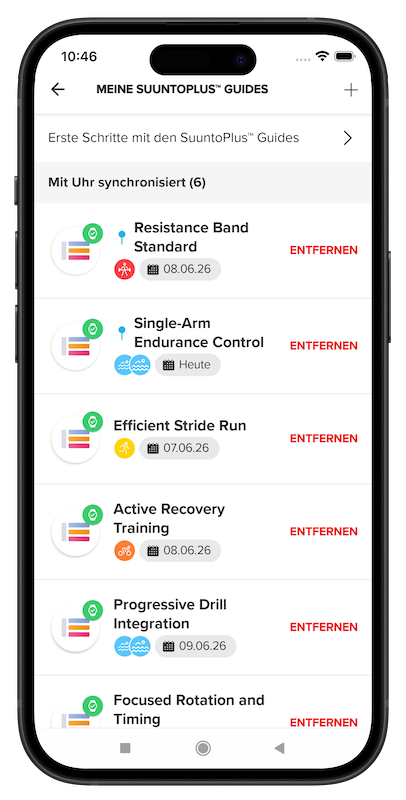
Endurly sessions synced to Suunto: workouts ready to send to your watch
🚴
Sweet Spot
Tempo Cruise
Target power
230-265 W
Cadence
88-92 RPM
ELEMNT BOLT • Planned workout
🚴 Wahoo integration

Endurly → Wahoo: workouts on your ELEMNT

Endurly sends your structured sessions straight to your Wahoo account as planned workouts. Once they're in Wahoo Cloud, your ELEMNT bike computer (or Wahoo-paired training app like SYSTM) picks them up automatically.

Wahoo's data model maps tightly to structured cycling work — target power in watts (from your FTP), target heart rate, target cadence (RPM), and named workout steps for each interval and recovery block.

OAuth
Secure handshake; no password sharing
FTP-aware
Power targets computed from your FTP setting
SYSTM
Surfaces in Wahoo's planned-workouts view too

How to connect

1

Open Profile → Integrations

The Wahoo card sits next to Suunto and the other providers.

2

Tap Connect on the Wahoo card

You'll be redirected to Wahoo's OAuth login.

3

Open any session and tap "Send to Wahoo"

It uploads to your Wahoo account as a planned workout.

4

Sync your ELEMNT

On the planned-workouts list, you'll see the session ready to start.

5

Start on your ELEMNT

Begin the ride; the ELEMNT advances you through the structured steps automatically.

Compatible with Wahoo ELEMNT BOLT, ELEMNT ROAM, ELEMNT, and Wahoo training app integrations. Also surfaces inside Wahoo's planned-workouts experience for athletes using SYSTM.

🍎 Apple Watch integration

Endurly → Apple Watch: workouts via WorkoutKit

If you wear an Apple Watch, Endurly uses Apple's WorkoutKit to schedule structured workouts directly on your wrist. Sessions appear in the Workout app on the watch and walk you through each step — work blocks, recovery, pacing targets, and heart-rate zones — all rendered natively in Apple's UI. No third-party watch app required.

Apple Health also feeds completed workouts back to Endurly — the sessions you finish on the wrist show up as completed in your Endurly history automatically.

Native
No third-party app on the watch — pure WorkoutKit
iOS 17+
Apple Watch Series 4+ on watchOS 10+
HealthKit
Completed workouts sync back automatically

How to enable

1

Install the Endurly iOS app

Available on the App Store. The integration runs from the native iOS app only.

2

Grant Apple Health permission

Profile → Integrations → Connect on the Apple card. iOS asks you to authorize HealthKit read + write.

3

Open a session and tap "Schedule to Apple Watch"

Endurly hands the workout to WorkoutKit; iOS confirms via a system preview sheet.

4

Open the Workout app on your watch

The scheduled session appears at the top of the workout list, ready to start.

5

Train; finish; let HealthKit close the loop

The completed workout writes back to Apple Health, then to Endurly's session history.

Requires iOS 17+, watchOS 10+, and an Apple Watch Series 4 or later. The web app cannot drive WorkoutKit; install the Endurly iOS app to enable this integration.

Endurly workouts scheduled to Apple Watch via WorkoutKit; sessions appear in the Workout app
📁
workout.fit
3.2 KB · Structured workout
Step 1
Warm-up · 10:00 · Z2
Step 2 · 5×
Tempo · 3:00 · Z3
Forerunner • Edge • Fenix
📁 Garmin / FIT export

Endurly → Garmin: structured workouts via FIT export

Endurly exports any session as a FIT workout file — the industry-standard format Garmin devices use for guided workouts. Unlike Suunto, Wahoo, and Apple, no account connection is required. You download the FIT file from the session detail page and upload it into Garmin Connect, which syncs it to your watch on the next pairing handshake.

FIT export works across the full Garmin device range, from Forerunner running watches to Edge bike computers, Fenix multisport, and Marq luxury watches. Any Garmin device that supports structured workouts will accept the file.

No account
No OAuth needed — just download and load
~3 KB
Binary file; full structure encoded
Full range
Forerunner, Edge, Fenix, Marq, Venu, vívoactive…

How to export and load onto Garmin

1

Open your session in Endurly

Pick the workout — swim, run, cycle, or strength — that you want on your Garmin.

2

Tap "Export FIT"

Endurly generates the file and downloads it to your device.

3

Open Garmin Connect

Use the standard Connect import workflow — the FIT becomes a workout in your training library.

4

Send the workout to your watch

From Garmin Connect, schedule or send the workout. The next sync pushes it across.

5

Start on your Garmin

Pick it from the workout list and follow the structured steps during training.

Exact upload flow depends on your Garmin device model and sync setup. Endurly provides the structured FIT workout file; from there you use the Garmin workflow you already know.

What training looks like on your watch

Whichever path you pick — Suunto, Wahoo, Apple Watch, or Garmin — your wrist becomes the guide. Instead of checking your phone or remembering the next interval, you follow the workout step by step.

🏊

Swimming

Pool sessions with a clear structure and less mental overhead. Move through warm-up, drills, main sets, and recovery with the workout prepared on the wrist.

🏃

Running

Guided intervals, target pace bands, and structured progression — no improvising the workout on the fly.

🚴

Cycling

Structured training on the bike, follow planned effort blocks consistently. Target power, cadence, and HR bands appear in turn.

From workout idea to guided session

Without Endurly

  • Workout plan stays in your head
  • Intervals are easy to forget
  • You improvise during the session
  • Structure gets lost once training starts

With Endurly + your watch

  • Your session is clearly defined
  • One tap pushes it to Suunto, Wahoo, or Apple Watch
  • Or export FIT to Garmin in 30 seconds
  • Your watch guides every step

Build it. Send it. Train it.

Create structured sessions in Endurly, sync them to your watch, follow the plan.

Download Endurly Learn more

Structured training for swimming, running, cycling, and strength.

Frequently asked questions

Which watches does Endurly support?

Modern Suunto watches (5 Peak, 9 Peak Pro, Race, Vertical, Ocean, Wing) via SuuntoPlus Guides, Wahoo ELEMNT bike computers via Wahoo Cloud, Apple Watch (Series 4+ on watchOS 10+) via WorkoutKit, and any Garmin device that supports structured workouts via FIT export.

Do I need to connect every time I want to send a workout?

No. You connect Suunto, Wahoo, or Apple once. From then on, every session is one tap away. FIT export needs no connection — it's a manual download per session.

What's the difference between the one-tap integrations and FIT export?

Suunto, Wahoo, and Apple use direct cloud APIs — the workout lands on the device automatically after one tap. FIT export is a downloadable file you upload to Garmin Connect manually. Both produce the same structured workout on your watch; the difference is friction.

Can I use Endurly without a watch?

Yes. The Endurly mobile and web apps display the full session structure, so you can train from your phone. Watch integrations are an option, not a requirement.

Does Endurly read my completed workouts back from the watch?

Apple Health writes completed workouts back automatically when you use the iOS app. Suunto, Wahoo, and Garmin completed-activity sync is on the roadmap; today you can mark sessions complete manually in Endurly after finishing them on the watch.

Is the Suunto / Wahoo integration secure?

Yes. Both use OAuth — the standard secure handshake. Endurly never sees your Suunto or Wahoo password. Access tokens are stored encrypted at rest and only used to upload the workouts you explicitly send.

What sports does Endurly support?

Swimming, running, cycling, and strength. Each integration supports the sports its target hardware supports — Wahoo's ELEMNT is bike-focused, so cycling and running sync; Suunto and Apple Watch cover all four.